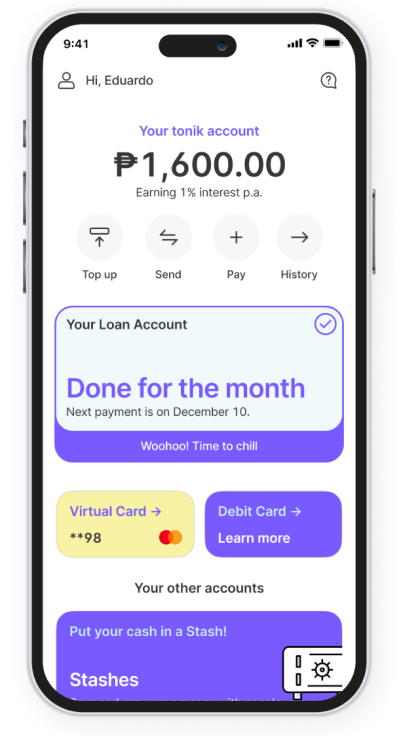
It's your first base getting in on the action
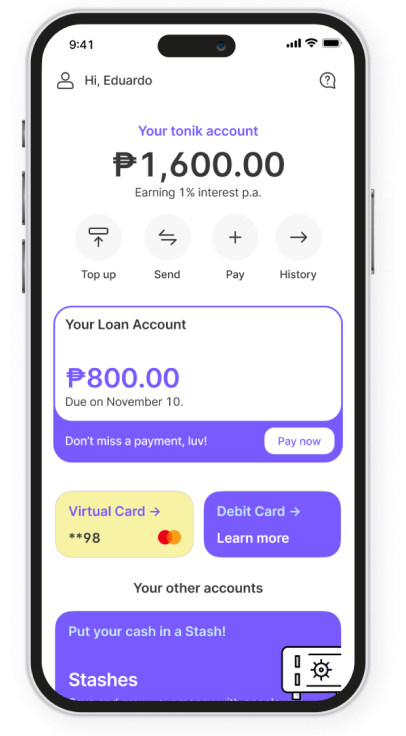
Your Tonik Account is your main account. It'll give you the satisfaction of also having 5 Stashes and 5 Time Deposit accounts within the Tonik App. You're going to love how you can move, organize, and personalize your cash.
This is banking as it's meant to be. Surely, this will keep our love alive!

How to Cash In and Cash Out
CASH-IN
Over-the-counter channel |
How to cash-in |
|---|---|
| 7-Eleven (CLIQQ) | Generate your payment code in the Tonik App, then pay in cash via the CLIQQ app or kiosk. |
| M Lhuillier, Cebuana Lhuillier, Palawan Express, or LBC | Generate your payment code in the Tonik App, visit your chosen branch before it expires, and complete the required payment form to pay in cash. Keep your receipt, luv! |
Online channel |
How to cash-in |
|---|---|
| PESONet or InstaPay | Use your bank's app to send money directly to your Tonik Account using your account details. |
| Bank & e-wallet channels | Use the available channels in the Tonik App, powered by Xendit. |
| QRPh | In the Tonik App, go to Profile > My QR, save your QR, then scan it using your other bank or e-wallet app. |
CASH-OUT
Options |
How it works |
|---|---|
| Transfer to Tonik | Send funds to another Tonik Account via the Tonik app. |
| Transfer to other banks | Send funds to your preferred bank account via the Tonik app. |
| Withdraw via ATM | Use your Tonik Debit Card at any nearby ATM. |
Transaction Fees
Channel |
Cash-in |
Cash-out |
|---|---|---|
| InstaPay | varies depending on sending bank | PHP 8.00 |
| PESONet | varies depending on sending bank | PHP 8.00 |
| Mastercard ATMs (using Tonik Debit Card) |
N/A | FREE* |
*An ATM access fee of up to P250 may be charged from your account upon ATM withdrawal.
Please note: Other banks may charge additional fees for transfers via InstaPay and PESONet.
Please check with your other banks.
Fire up the savings engine!


Get the tonik app
Scan the QR code to download the app
You'll be redirected outside of the Tonik website.
We wish you a smooth app download!
We wish you a smooth app download!
 Deposits are insured by PDIC up to ₱1 Million per depositor.